
How do I automate 'Where is my order?' questions on Shopify?
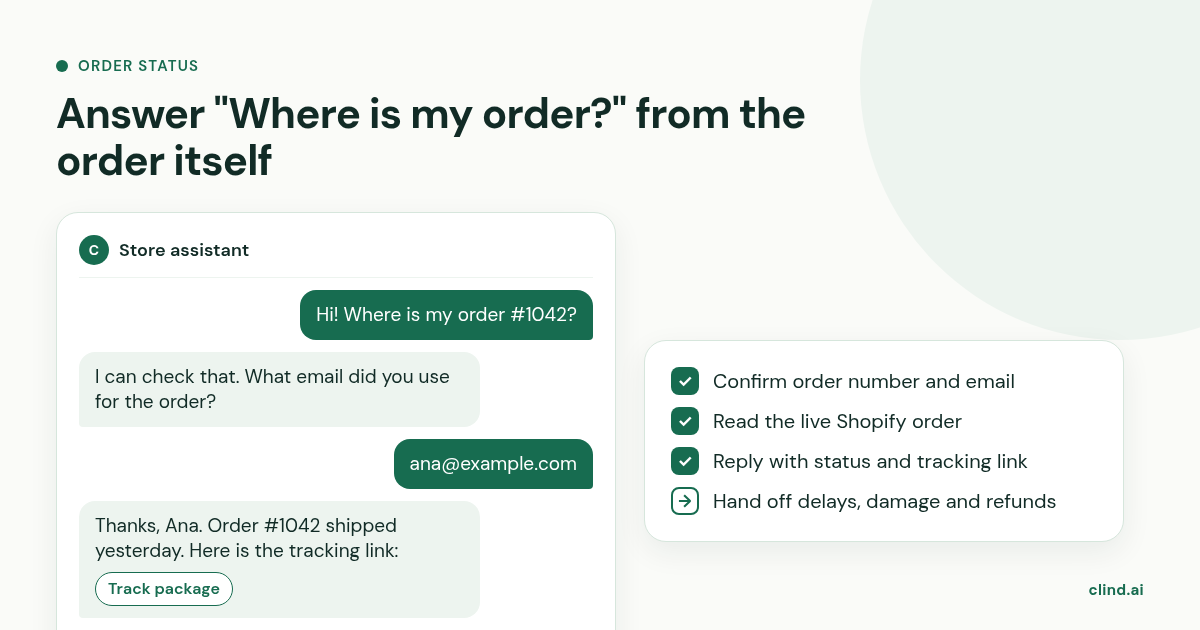
To automate "Where is my order?" on Shopify, use a support assistant with access to your Shopify orders. It should confirm the shopper with the order number and checkout email (orders placed with only a phone number can go to your team), read the live order, reply with the status and tracking link, and pass delays, damage and refund requests to a person.
Why an FAQ answer is not enough
A shipping FAQ tells everyone the same thing ("orders ship in 2 to 3 business days"). The shopper asking wants to know about their own order. An assistant that only has your help pages ends up linking to a tracking page or apologizing, and the shopper writes to your email anyway.
Give the assistant access to order data and the reply becomes a fact about that order: shipped yesterday, here is the tracking link.
What a good automated reply includes
- The order number, so the shopper knows you found the right one.
- The current state: not shipped yet, partly shipped, shipped, or delivered.
- The tracking number and link when the order has one.
- An honest line when there is no tracking yet, instead of a guessed delivery date.
If the lookup fails, the assistant should ask once to check the number, then offer a person. Making up a status is worse than saying "I'll check with the team."
What to keep for your team
Order lookups are routine. These questions need a decision or some investigating, so they go to your team:
- "It says delivered but I don't have it."
- "The box arrived damaged."
- "Can I change the address?" or "Cancel my order."
- Anything where the shopper expects money back.
Set those up as handoff cases. The assistant collects the order number and what happened, and your team decides. More on that in how an AI chatbot should hand off to a human.
How this works in Clind
Clind is a Shopify app. When you install it, it reads your products, pages and policies. In the store chat, it answers "where's my order" by finding the order in Shopify and replying with the status and tracking link. When the shopper asks for a person, or the assistant doesn't know, the conversation goes to your team's inbox with the full history.
You can test the answers before the chat goes live. For more ways to reduce these tickets, including shipping emails and the order status page, read how to reduce where-is-my-order tickets.
Frequently asked questions
Can a chatbot answer order status without reading Shopify orders?
Only in general terms. A bot trained on your FAQ alone can explain shipping times, but to tell one shopper where their package is it needs that order's data, from Shopify or from the carrier's tracking.
What should the assistant ask before sharing order details?
Ask for the order number and the email used at checkout, and only share details when both match the same order. If the order was placed with a phone number instead of an email, hand it to your team to check. That keeps one shopper from seeing someone else's order.
Which order questions should still go to a person?
Packages marked delivered that never arrived, damaged items, address changes, cancellations and anything involving a refund. Those need a decision from you, not a lookup.
Does Clind answer order status on Shopify?
Yes. Clind looks up the order in Shopify, replies in the store chat with the status and tracking link, and hands the conversation to your team when the shopper asks for a person or the case needs a decision.