
Running Shopify customer support alone or with a small team
A founder's guide to Shopify support with one or two people: what to automate, what to keep, one inbox, reply times, and when to add help.
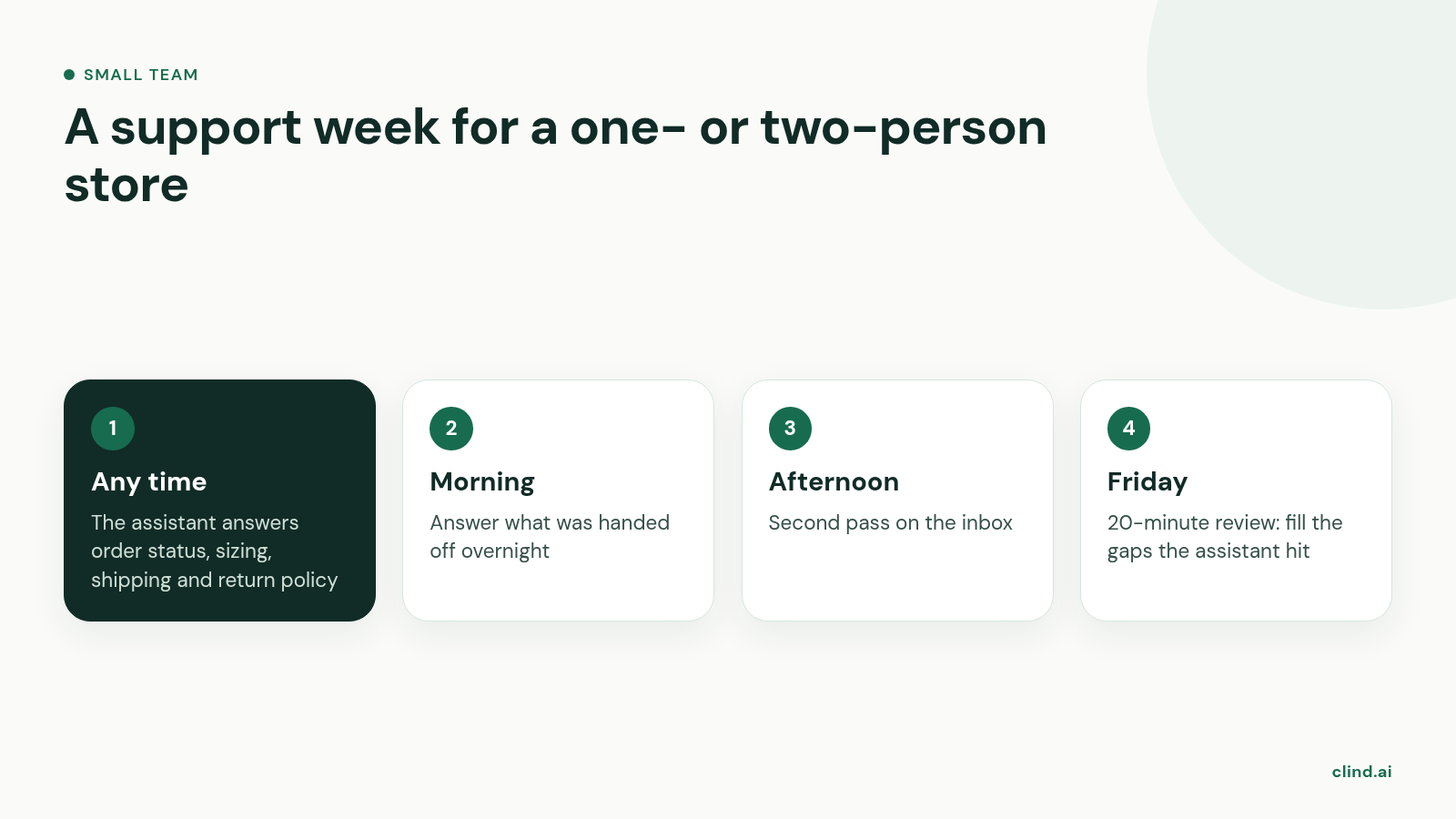
One or two people can run Shopify customer support if an assistant answers the routine questions (order status, sizing, shipping, return policy) and every channel lands in one inbox you can check from your phone. For the conversations that need you, set a reply time you can keep and review the gaps every week.
I'm Diego Lira, and I build Clind for stores like this: the founder answers support between packing orders, sourcing and running ads. Reddit threads from Shopify merchants keep asking the same thing: whether AI support is worth it for a small number of messages (example) or whether chatbots are just hype (another). My answer: it depends on how repetitive your inbox is, and you can find that out in an afternoon.
Step 1: Read your inbox like data
Take the last 30 days of messages from every channel and sort them into piles:
- Order status: "where is it", "tracking", "has it shipped".
- Product questions: fit, materials, availability.
- Shipping: countries, costs, times.
- Returns and exchanges.
- Problems: damaged, wrong item, lost.
- Everything else.
Many questions in the first four piles can be answered from your store data, although starting a return or making an exception still needs a person. The fifth pile needs you. If the first four are small, you may not need AI at all; better FAQ pages might do. If they are most of the inbox, that's where automation can save you time.
Step 2: Decide what you never automate
Write this down before choosing any tool. For most small stores the list is:
- Refunds and exceptions to your policy.
- Damaged or wrong items.
- Angry customers.
- Wholesale and partnership requests.
- Anything a customer explicitly asks a person for.
An assistant should collect the facts for these and hand them to you. In Clind, that's the default: the assistant hands off when the shopper asks for a person, when it doesn't know, and when the case needs your decision, like a return, a cancellation or a damaged item. It never promises a refund.
Step 3: One inbox, on your phone
When you're alone, volume is less of a problem than checking five places. Store chat, email, WhatsApp and contact forms should land in one list, sorted by what needs you.
Shopify Inbox does this for storefront chat, with desktop and mobile apps (Shopify help). If email and WhatsApp matter too, you need a tool that brings them in. Clind puts store chat, contact forms you build in Clind, email and WhatsApp in one inbox at app.clind.ai and in the iOS and Android app, with the assistant's summary on each handed-off conversation. (WhatsApp Business is available with setup help from our team, via the Meta Cloud API or Twilio. External channel fees may apply.)
Step 4: Make the assistant good at your top questions
Generic answers are where AI support fails for small stores. Fix that with your own content:
- Rewrite your shipping and returns pages so each rule is a plain sentence: the window in days, what can't be returned, who pays shipping.
- Add knowledge base entries for questions your pages don't answer: "runs small?", "gift wrap?", "ship to PO boxes?".
- Test with real messages from Step 1 before going live (test list).
In Clind, the assistant reads your products, pages and policies when you install it, you add knowledge base entries for the rest in the Clind dashboard (write them, or import a PDF or a URL), and you can test answers before the chat goes live.
Step 5: Set a reply time and keep it
Shoppers accept a wait when they know how long it is. Pick a promise you can keep on a bad week, such as "we reply within one business day", and put it on your contact page and in the assistant's handoff message. Then check the inbox at fixed times, for example morning and late afternoon, instead of all day. The assistant covers the gap for routine questions: a shopper asking about tracking at midnight can get the status and link right away, and anything it can't answer waits for you in the inbox.
Step 6: A weekly 20-minute review
Every Friday:
- Read the conversations the assistant handed off. Which ones could it have answered with a better page or a knowledge base entry? Add those.
- Look for answers that were technically right but unhelpful, and rewrite the source.
- Check that nothing waited longer than your promise.
If you use ChatGPT or Claude already, Clind's Connect your AI lets an admin connect Claude, or ChatGPT on a Plus plan, to the Clind account. It can search and read your conversations, show topics and metrics, and edit the knowledge and the assistant's instructions. It's a reviewer for you; it doesn't reply to customers. It makes this weekly review faster, because you can ask it to find the questions the assistant struggled with and fix the entry on the spot.
What a week can look like
A routine that tends to work for one person:
- Monday to Friday, morning: open the inbox, answer everything the assistant handed off overnight, and start any carrier claims.
- Late afternoon: a second pass for anything new.
- Friday: the 20-minute review above.
- Weekends: the assistant answers routine questions; you check once a day for anything urgent, or not at all if your reply promise says business days.
Keep a short set of saved replies for the cases that always come to you: a damaged item, a lost package, a late return. Your answers stay consistent, and the replies are ready when you hire someone.
Step 7: Know when to add a person
Watch the time the handed-off conversations take (refunds, problems, exceptions), not total volume, since the assistant handles the routine ones. When those take more of your week than you can give without hurting the rest of the business, it's time to bring in a part-time teammate. With one inbox, they get their own login and see the full conversation history from day one.
Mistakes I'd avoid
Hiding the way to reach you. Some stores set up a chatbot and remove the email address from the contact page. Shoppers notice, and the ones with real problems get angrier. Keep a visible way to reach a person, and make "talk to someone" work inside the chat.
Turning on AI before the policies are written. The assistant answers from what's on your site. If your return policy says "contact us for returns", that is what shoppers will hear. Write the rules first.
Judging the tool on day one. The first week shows you the gaps in your content more than the quality of the tool. Fill the gaps, then judge.
Answering the same customer on two channels. If a shopper emails and then sends a WhatsApp message about the same order, one inbox puts both in front of you, so you can spot the duplicate and answer once.
What this costs
A tool for this doesn't have to be expensive. Shopify Inbox is free for storefront chat. Paid tools price by tickets, seats or conversations (the units explained). Clind prices by conversation, with AI and human replies sharing one allowance: Starter $29 for 100 conversations, Pro $79 for 350, Business $169 for 800, per 30-day cycle. The trial is 50 answered conversations or 30 days, whichever comes first. A fuller comparison is in the best AI customer support apps for Shopify.
The short version
Sort your inbox, automate the repeated questions with your own store data, keep refunds and problems for yourself, use one inbox on your phone, and review the gaps every Friday. Start with a trial and your real questions. If you want to try this with Clind, install it from the Shopify App Store.
Frequently asked questions
Can one person handle customer support for a Shopify store?
Yes, if routine questions are answered without you and the rest arrive in one place. Order status, sizing, shipping and returns policy are the questions to take off your plate first.
Is an AI chatbot worth it for a small store?
It is worth it when a few repeated questions make up most of your inbox. Try one with a trial and your real questions before paying, and keep a fast way to reach you.
How fast should a small store reply?
Set a promise you can keep, like within one business day, show it on your contact page, and beat it when you can. The assistant answers the routine questions your store data covers, at any hour, and hands you the rest.
When should I hire help for support?
When the conversations that need a person, not the total, take more time than you can give without hurting the rest of the business.
Sources
- www.reddit.com/r/shopify/comments/1qj5j35/customer_service_ai_would_it_be_worth_it_for_for
- www.reddit.com/r/ShopifyWebsites/comments/1q92olb/are_ai_chatbots_actually_worth_it_or_is_it_all
- www.reddit.com/r/ShopifyeCommerce/comments/1spau3l/how_do_you_handle_repetitive_customer_emails
- help.shopify.com/en/manual/inbox
- apps.shopify.com/clind-ai