
WhatsApp customer support for Shopify stores: setup, costs and AI
How to run customer support on WhatsApp for a Shopify store: Cloud API or Twilio, the 24-hour window, what Meta charges, and where AI fits.
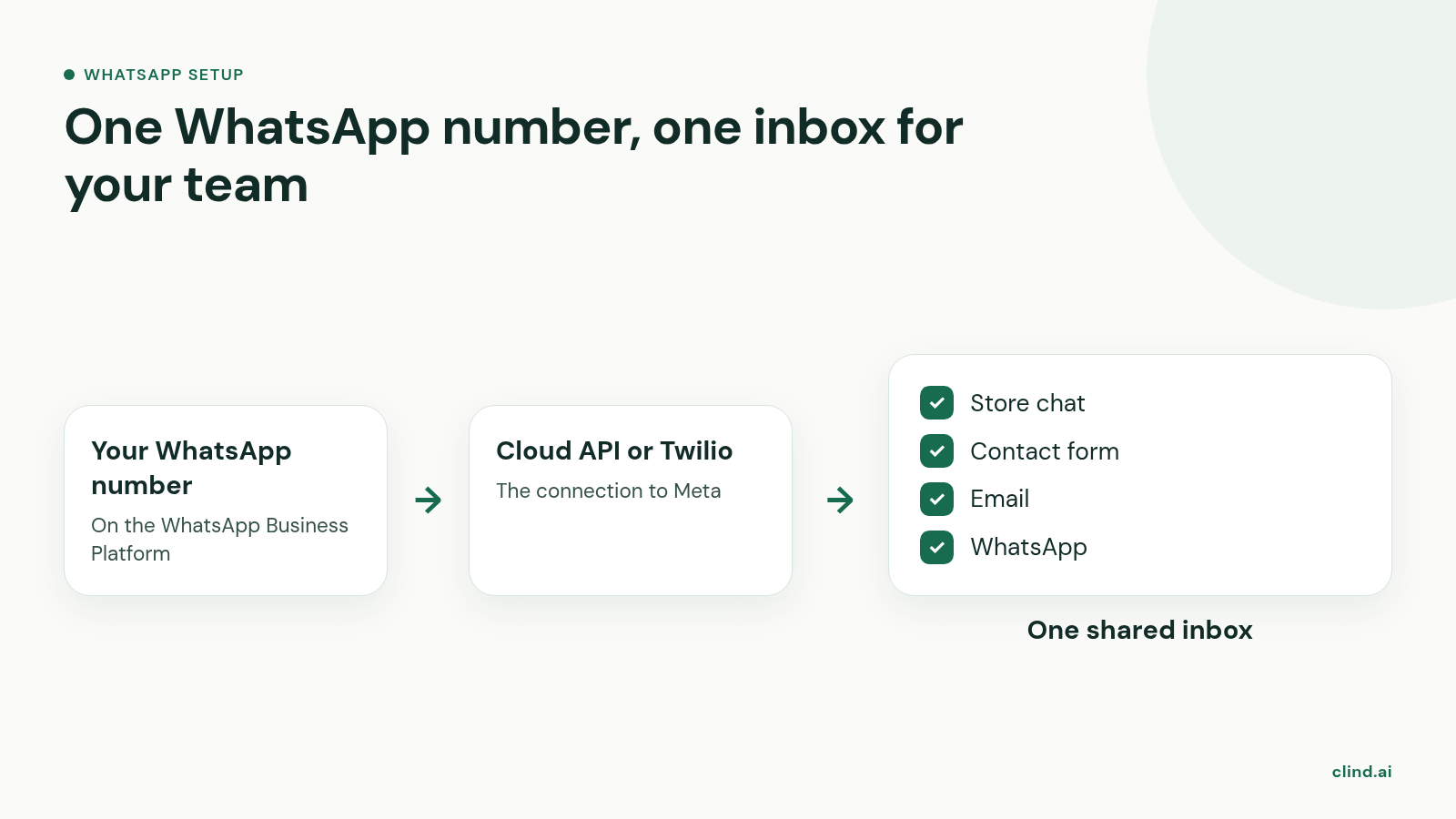
To run WhatsApp support for a Shopify store, connect a dedicated number to the WhatsApp Business Platform through Meta's Cloud API or a provider like Twilio, and link it to a support app that reads your store. A customer's message opens a 24-hour window for normal replies, and Meta charges per delivered message.
I'm Diego Lira, founder of Clind. In many countries WhatsApp is where shoppers already message businesses, and small merchants often end up answering from a personal phone at night. This guide covers what it takes to do it properly, with the costs stated by Meta and Twilio themselves.
Two kinds of WhatsApp for business
The WhatsApp Business app is the phone app: free, and answered by hand. You can link up to four other devices, such as a computer, so a couple of people can share it, and some paid Meta Verified plans raise that limit and add chat assignment. It's fine when you're small.
The WhatsApp Business Platform is what apps connect to. It lets a support tool receive and send messages on your number, so an AI assistant can reply and several teammates can answer from one inbox. This guide is about the platform.
What you need
- A phone number for WhatsApp. If the number is already in use in the WhatsApp Business app, check Meta's current rules for moving or sharing it; many stores simply pick a new number for support.
- A Meta business account with a payment method on file for WhatsApp charges. You can start with restrictions before business verification; verifying your phone number is a separate step.
- A connection method: the Cloud API or a provider.
- A support app that connects to that number and to Shopify.
Cloud API or Twilio
Meta's Cloud API connects your number to Meta directly. You pay Meta's message charges and nothing extra to a middleman.
Twilio is a provider that sits between you and Meta. Its pricing page lists a $0.005 handling fee per message on top of Meta's charges (as of September 2026). Teams that already use Twilio for SMS or voice sometimes prefer to keep everything there.
If you're starting fresh, the Cloud API is simpler on cost. If your number is already on Twilio, you may prefer to keep it there. Either way, the rules below about the 24-hour window and Meta's charges apply the same, because both routes end at Meta's platform. The difference is who you get support from when something breaks, and one extra line on the bill. Clind works with both: WhatsApp Business is available with setup help from our team, via the Meta Cloud API or Twilio. External channel fees may apply.
The 24-hour customer service window
When a customer messages you, a 24-hour window opens, and it resets with every new message from them. Inside it you can send normal messages: text, images, links. Outside it you can only send pre-approved template messages (Meta pricing docs).
For support, the customer usually writes first, so you're inside the window. Two practical consequences:
- Answer within the day. If a teammate replies 30 hours later, a normal message won't go through, and you'll need a template.
- An AI assistant can help answer routine questions and escalate others to your team.
What Meta charges
Under Meta's pricing effective October 1, 2026:
- Meta charges per delivered message, not per conversation.
- The rate depends on the message category (marketing, utility, authentication, service) and the customer's country.
- Messages from customers to you are free.
- Each business number has a monthly free tier of service messages, which resets every month.
Rates and rules change, and Meta publishes updates on a set calendar. Check the current rate card for your customers' countries before you plan a budget. These fees go to Meta (and Twilio, if you use it). They are separate from what your support app charges.
What AI can answer on WhatsApp
The same questions it answers in your store chat:
- "Where is my order?" with the status and tracking link, if the app reads Shopify orders.
- Product questions: sizes, colors, availability.
- Shipping destinations and times, from your policies.
- Return policy questions.
And it should hand off the same cases: the customer asks for a person, the answer isn't in your store, or the case needs a decision.
Customers can send voice notes and photos on WhatsApp. Decide ahead of time how your team handles them, and make sure the handoff carries them to your inbox.
Verify before you share order details
WhatsApp tells you the customer's phone number, but that number may not match the one on the order. Treat WhatsApp like your store chat: ask for the order number and the email used at checkout, and only share order details when both match the same order. That extra message is cheap protection against showing one customer another's address or items.
One inbox, not one more inbox
The risk with adding WhatsApp is ending up with three places to check. When looking at WhatsApp tools on the Shopify App Store, such as WhatsDesk, check how they fit with the rest of your support. Before you choose, ask whether WhatsApp messages land next to your store chat and email, with the same customer history.
Business hours on WhatsApp
Customers expect WhatsApp to feel fast, and many write in the evening. Decide what happens outside your hours before you publish the number. With an assistant, routine questions still get an answer at night. For conversations it hands off, the reply should say when a person will follow up, and someone should check the inbox early enough the next day to reply inside the 24-hour window.
How it works in Clind
WhatsApp Business is available with setup help from our team, via the Meta Cloud API or Twilio. External channel fees may apply. A customer writes to your WhatsApp number, and the assistant or your team replies. WhatsApp conversations arrive in the same inbox as your store chat, email and any contact form you build in Clind, on the web at app.clind.ai and in the iOS and Android app. The assistant answers with your products, pages, policies and orders, and hands the conversation to your team with the full history when a customer asks for a person or it doesn't know.
You don't need WhatsApp to start with Clind. Install it from the Shopify App Store, turn on the store chat, and add WhatsApp when you're ready. External channel fees are separate from Clind's plan.
A checklist before you announce your WhatsApp number
- Number connected and verified; payment method added in Meta.
- Assistant tested with your top 10 questions on WhatsApp itself.
- Handoff tested: ask for a person and confirm it reaches the inbox.
- Business hours decided, and the reply shoppers get outside them.
- WhatsApp link added to your store's contact page and order emails.
Short version of this guide: Can I answer Shopify customers on WhatsApp with AI?
Frequently asked questions
Do I need the WhatsApp Business Platform for support on Shopify?
If you want an app or an AI assistant to answer for you, yes. The WhatsApp Business phone app is fine for answering by hand, and a few teammates can share it through linked devices.
Cloud API or Twilio: which should I use?
The Cloud API connects you to Meta directly and has no extra provider fee. Twilio adds its own per-message fee but may suit you if you already use Twilio for SMS or voice.
How much does WhatsApp support cost?
Meta charges per delivered message by category and country, and doesn't charge for messages customers send. Its pricing page lists a monthly free tier of service messages per number. Provider and app fees are separate.
Can an AI assistant answer order status on WhatsApp?
Yes, if your support app reads Shopify orders. In Clind, WhatsApp conversations get the same answers as store chat, including order status and tracking links, with handoff to your team.